For a while I have been thinking about writing documentation on how to write plugins for Gentoo Build Publisher. There have been a couple of reasons for putting it off, the main one is that the plugin system is still in active development. But I figured that if I instead write a series of articles then perhaps I can keep up with the developments as I write the series as well as not require huge changes for already-written articles. We'll see how that goes.
This is the first in a series. For this part we're going to do a simple "Hello World" plugin. This plugin won't do anything special, and this is not a "deep dive" into Gentoo Build Publisher either. It's more of a "look ma, I wrote a GBP plugin" kind of document.
Note: "plugin" in this context means a server plugin. There are also "client" (CLI) plugins which we'll talk about in another series.
What's a plugin?
A Gentoo Build Publisher plugin is a Python package having components that "hook in" to the GBP server. Currently the following GBP components can be hooked into:
-
The GraphQL subsystem: plugins can create their own GraphQL queries, mutations and types and even extend existing ones.
-
Django apps. plugins can contain a Django app that can do just about anything a Django app can do (expose ORM models, views, etc). They can also extend the Gentoo Build Publisher UI via template inheritance and overrides.
-
Signals: Gentoo Build Publisher has a signal dispatch (pub/sub) system. Plugins may register handlers with GBP's signals and even create signals of their own. Signals are an important way for GBP to communicate with plugins. For example, to notify that a build has been pulled or removed.
-
Checks: Gentoo Build Publisher has a "checks" subsystem (accessible via the
gbp checkcommand) that perform various system checks and displays warnings and/or errors. Think of it as afsckfor Gentoo Build Publisher. The GBP server has its own checks, and plugins may register their own, for example, to run checks on their individual components.
This system is intentionally extensible and is expected to expand over time.
For example, at the time of this writing the checks system is new and will
be made available in the next release.
Also plugins are not limited to the above. Some plugins, for example gbp-archive, don't hook into any of these systems yet still provide additional functionality.
How does it work?
How the plugin system works is that each plugin declares itself as a Python package entry point. When Gentoo Build Publisher starts, it enumerates all of the declared plugins and "plugs in" different parts of the plugins to different parts of GBP's subsystems.
Plugins declare themselves as an entry point in the group
"gentoo_build_publisher.plugins". This entry point is expected to be a
Python dictionary adhering to the plugin definition (PluginDef)
spec.
Various parts of the Gentoo Build Publisher service may act on plugins in
differing ways. For example, the system that populates the INSTALLED_APPS
setting for Django looks for plugins that have an app definition and adds
them to INSTALLED_APPS. Another example is the gbp check subcommand. As
it's gathering what checks to run, it looks at the checks definition of the
registered plugins.
Gentoo Build Publisher is indeed a plugin of itself and this is how it
declares much of its own functionality to itself. Its plugin definition can be
found as the plugin dictionary located in __init__.py at the root of the
package.
Let's write a plugin!
In this section we're going to write a "Hello World" plugin. For now it won't have any functionality. This is merely to demonstrate how set one up. This assumes you have a Gentoo Build Publisher instance which to install the plugin onto.
We are going to be using PDM to create a Python distribution. There are several other tools that are just as capable and you are free to use which ever tool you are most comfortable with. So let's start by initializing our project:
$ mkdir gbp-helloworld
$ cd gbp-helloworld
$ pdm init
Creating a pyproject.toml for PDM...
Please enter the Python interpreter to use
 0. cpython@3.13 (/home/marduk/.pyenv/shims/python3)
 1. cpython@3.13 (/home/marduk/.pyenv/shims/python)
 2. cpython@3.13 (/usr/bin/python3.13)
Please select (0):
Virtualenv is created successfully at /home/marduk/gbp-helloworld/.venv
Project name (gbp-helloworld):
Project version (0.1.0):
Do you want to build this project for distribution(such as wheel)?
If yes, it will be installed by default when running `pdm install`. [y/n] (n): y
Project description (): A reference plugin for Gentoo Build Publisher
Which build backend to use?
0. pdm-backend
1. setuptools
2. flit-core
3. hatchling
Please select (0):
License(SPDX name) (MIT):
Author name (Albert Hopkins):
Author email (marduk@letterboxes.org):
Python requires('*' to allow any) (>=3.13):
INFO: Git repository initialized successfully.
Project is initialized successfully
Be sure to "build this project for distribution" as a plugin is a Python distribution.
Okay, when PDM sets up your project it looks like this:
.
├── pyproject.toml
├── README.md
├── src
│   └── gbp_helloworld
│       └── __init__.py
└── tests
    └── __init__.py
Remember that a Gentoo Build Publisher plugin is a Python distribution that
declares an entry point in the gentoo_build_publisher.plugins group. Let's
do that. Open up pyproject.toml in an editor and add the following:
[project.entry-points."gentoo_build_publisher.plugins"]
gbp_helloworld = "gbp_helloworld:plugin"
We've now declared our entry point! Except that entry point does not yet
exist. So let's creat it. The entry point specifies a reference to plugin in
the gbp_helloworld module, so we'll need to define that. Open
src/gbp_helloworld/__init__.py in an editor and add the following:
plugin = {"name": "gbp-helloworld", "version": "0.1.0", "description": "Hello World!"}
This definition is the minimum amount needed to define a plugin. Well,
technically only "name" is required, but plugins should declare a
"version" and "description" as well.
Our plugin is now ready to build!
$ pdm build
Building sdist...
Built sdist at /home/marduk/gbp-helloworld/dist/gbp_helloworld-0.1.0.tar.gz
Building wheel from sdist...
Built wheel at /home/marduk/gbp-helloworld/dist/gbp_helloworld-0.1.0-py3-none-any.whl
The resulting wheel file, gbp_helloworld-0.1.0-py3-none-any.whl, is our
package distribution. Copy this file to your Gentoo Build Publisher server.
From the server, execute the following command:
gbpbox ~ # cd /home/gbp
gbpbox /home/gbp # sudo -u gbp -H ./bin/pip install /path/to/gbp_helloworld-0.1.0-py3-none-any.whl
Processing /path/to/gbp_helloworld-0.1.0-py3-none-any.whl
Installing collected packages: gbp-helloworld
Successfully installed gbp-helloworld-0.1.0
Success! Now open your Gentoo Build Publisher instance in your web browser, navigate to the "About" page and you should see something like the following:
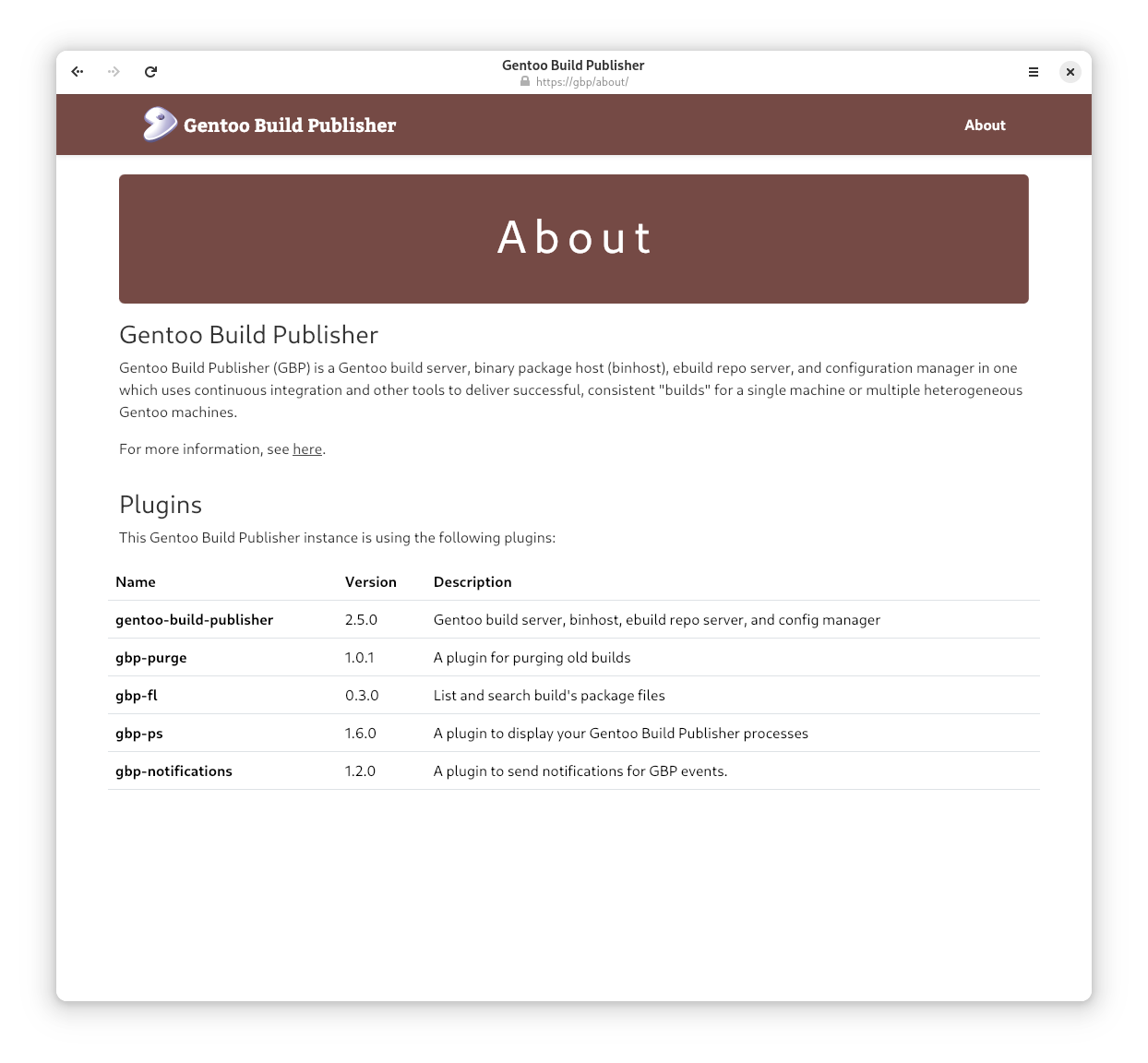
Note: normally after installing a plugin you will need to restart the Gentoo Build Publisher services. However since this plugin doesn't perform any functions, it's a rare occasion where it is not necessary.
Congratulations, you've authored and installed your first GBP plugin! Not so bad, huh? In the next article on this topic we will continue along and actually make the plugin (more) useful.